VNPT Cloud GPU


VNPT Cloud Backup
VNPT Cloud Box



Hướng dẫn cấu hình WordPress HA chi tiết
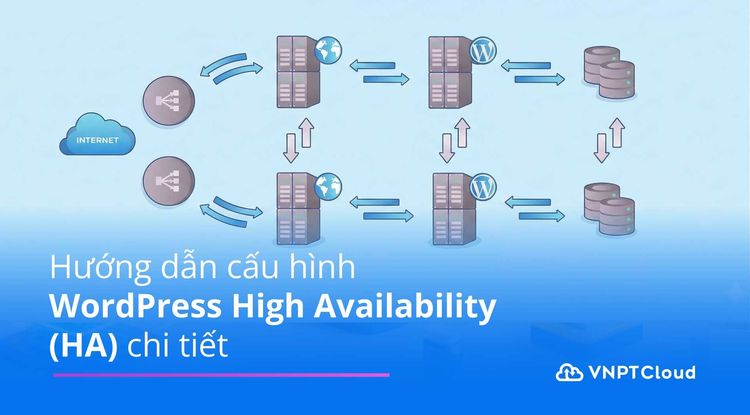

Trong các hệ thống WordPress phục vụ lượng truy cập lớn, việc triển khai High Availability (HA) là yêu cầu bắt buộc nhằm đảm bảo website luôn hoạt động ổn định, không gián đoạn khi một node gặp sự cố. Bài viết này hướng dẫn chi tiết cách cấu hình WordPress HA sử dụng Nginx Load Balancer kết hợp NFS để chia sẻ dữ liệu giữa nhiều Web Server.
Mục tiêu triển khai hệ thống Wordpress High Availability (HA)
Kiến trúc hệ thống cần xây dựng
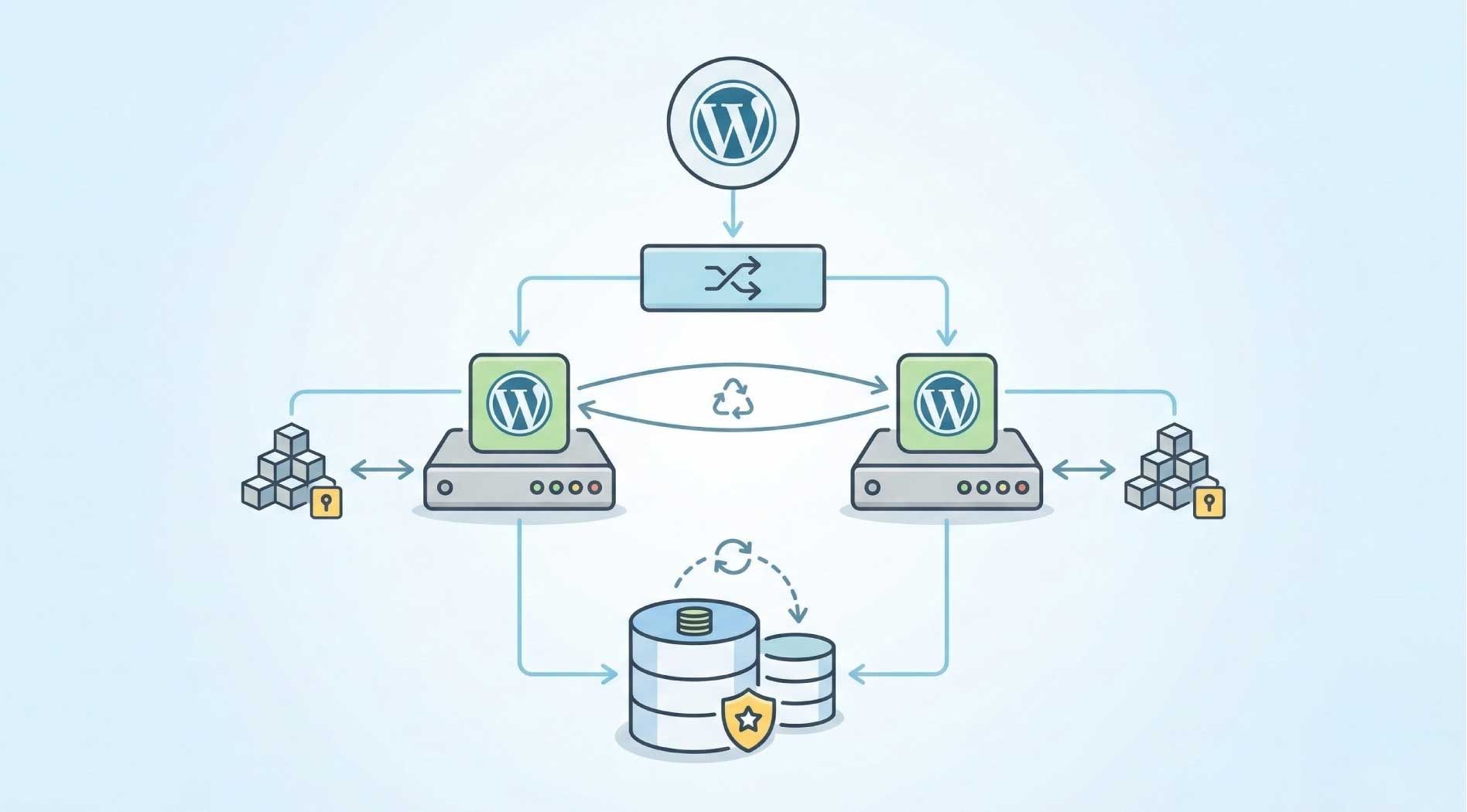
Triển khai mô hình Wordpress có khả năng cân bằng tải và đồng bộ dữ liệu giữa nhiều Web Server, bao gồm:
- 01 Load Balancer
- 02 Web Server
- 01 NFS Server (Shared Storage)
- 01 Database Server (tạm thời đặt trên web-server1)
Mục tiêu kỹ thuật
- Phân phối traffic đều giữa 2 Web Server.
- Đảm bảo dữ liệu WordPress (wp-content) được đồng bộ giữa các node.
- Cho phép mở rộng thêm Web Server trong tương lai.
- Tăng tính sẵn sàng (High Availability) cho hệ thống
Tổng quan về NFS trong mô hình WordPress HA
Tổng quan về NFS
NFS (Network File System) là hệ thống tệp qua mạng cho phép một máy tính (client) truy cập thư mục hoặc tệp nằm trên máy khác (server) như thể chúng đang nằm trên ổ cứng cục bộ.
Vai trò của NFS trong mô hình WordPress HA
- Chia sẻ tệp/thư mục giữa nhiều máy trong cùng hệ thống mạng.
- Trong môi trường WordPress HA, NFS giúp các Web Server sử dụng chung thư mục wp-content để đảm bảo hình ảnh, theme, plugin… luôn đồng bộ giữa các node.
Các thành phần của NFS
| Thành phần | Vai trò |
| NFS Server | Chứa thư mục chia sẻ, cung cấp dịch vụ NFS cho client |
| NFS Client | Máy truy cập thư mục chia sẻ từ NFS Server |
| Export File | /etc/exports – nơi cấu hình chia sẻ thư mục |
| Mount Point | Thư mục trên NFS Client dùng để mount dữ liệu |
Môi trường triển khai lab
Mô hình hệ thống:
Máy ảo | OS | IP | Vai trò |
| web-server1 | CentOS Stream 9 | 192.168.133.135 | Web + NFS Server + Database |
| web-server2 | Ubuntu 24.04 | 192.168.133.133 | Web + NFS Client |
| lb-server | Ubuntu 24.04 | 192.168.133.137 | Load Balancer |
Phần mềm sử dụng:
Vai trò | Công nghệ/Dịch vụ sử dụng |
| Web Server | Nginx + PHP + WordPress |
| Load Balancer | Nginx (Reverse Proxy + Load Balancer) |
| Database | MariaDB/MySQL (đặt trên web-server1) |
| Shared Storage | NFS |
Quy trình triển khai hệ thống WordPress HA
Bước 1: Cấu hình NFS Server trên web-server1 (CentOS)
1.1 Cài đặt NFS server:
sudo dnf install nfs-utils -y1.2 Tạo thư mục WordPress và phân quyền:
sudo mkdir -p /var/www/wordpress
sudo chown -R nobody:nobody /var/www/wordpress
sudo chmod -R 755 /var/www/wordpress
1.3 Cấu hình file export (/etc/exports):
echo "/var/www/wordpress 192.168.133.0/24(rw,sync,no_root_squash)" | sudo tee -a /etc/exports1.4 Khởi động dịch vụ NFS:
sudo systemctl enable --now nfs-serverBước 2: Cấu hình NFS Client trên web-server2 (Ubuntu)
2.1 Cài đặt NFS client:
sudo apt update
sudo apt install nfs-common -y
2.2 Mở firewall trên web-server1 (nếu dùng firewalld):
sudo firewall-cmd --permanent --add-service=nfs
sudo firewall-cmd --permanent --add-service=mountd
sudo firewall-cmd --permanent --add-service=rpc-bind
sudo firewall-cmd --reload
2.3 Mount thư mục NFS:
sudo mkdir -p /var/www/wordpress
sudo mount 192.168.133.135:/var/www/wordpress /var/www/wordpress
Mount tự động khi khởi động (/etc/fstab):
192.168.133.135:/var/www/wordpress /var/www/wordpress nfs defaults 0 0Bước 3: Cài đặt Database MariaDB trên web-server1
3.1 Cài đặt MariaDB:
sudo dnf install mariadb-server -y
sudo systemctl enable --now mariadb
3.2 Tạo database và user cho WordPress:
sudo mysql -u root -e "
CREATE DATABASE wordpress;
CREATE USER 'wpuser'@'%' IDENTIFIED BY 'wppassword';
GRANT ALL PRIVILEGES ON wordpress.* TO 'wpuser'@'%';
FLUSH PRIVILEGES;
"
3.3 Mở cổng database (nếu cần):
sudo firewall-cmd --add-port=3306/tcp --permanent
sudo firewall-cmd --reload
Bước 4: Cài đặt Web Server + PHP + WordPress
4.1 Trên web-server1 (CentOS):
sudo dnf install nginx php php-fpm php-mysqlnd -y4.2 Trên web-server2 (Ubuntu):
sudo apt install nginx php-fpm php-mysql -y4.3 Tải WordPress (chỉ thực hiện trên web-server1):
cd /var/www/wordpress
sudo curl -O https://wordpress.org/latest.tar.gz
sudo tar -xzf latest.tar.gz --strip-components=1
sudo chown -R www-data:www-data /var/www/wordpress
web-server2 sẽ thấy nội dung vì đã mount NFS rồi.
4.4 Cấu hình Nginx trên web-server1 và web-server2:
File /etc/nginx/conf.d/wordpress.conf:

# web-server1 (CentOS)
server {
    listen 80;
    server_name 192.168.133.135;
    root /var/www/wordpress;
    index index.php index.html;
    location / {
        try_files $uri $uri/ /index.php?$args;
    }
    location ~ \.php$ {
        include fastcgi_params;
        fastcgi_pass unix:/run/php-fpm/www.sock;
        fastcgi_param SCRIPT_FILENAME $document_root$fastcgi_script_name;
    }
}

# web-server2 (Ubuntu)
server {
    listen 80;
    server_name 192.168.133.133;
    root /var/www/wordpress;
    index index.php index.html;
    location / {
        try_files $uri $uri/ /index.php?$args;
    }
    location ~ \.php$ {
        include fastcgi_params;
        fastcgi_pass unix:/run/php/php8.3-fpm.sock;
        fastcgi_param SCRIPT_FILENAME $document_root$fastcgi_script_name;
    }
}
Tùy OS mà socket PHP khác nhau, kiểm tra bằng:
sudo find /run -name "*.sock"Bước 5: Cài đặt Load Balancer trên lb-server
5.1 Cài đặt Nginx:
sudo apt install nginx -y5.2 Cấu hình Load Balancer:
upstream wordpress_backend {
    server 192.168.133.135;
    server 192.168.133.133;
}

server {
    listen 80;
    server_name _;
    location / {
        proxy_pass http://wordpress_backend;
        proxy_set_header Host $host;
        proxy_set_header X-Real-IP $remote_addr;
    }
}

Enable site và reload Nginx:

sudo ln -s /etc/nginx/sites-available/wordpress-lb /etc/nginx/sites-enabled/
sudo nginx -t && sudo systemctl reload nginx
Bước 6: Kiểm tra hệ thống
Truy cập trình duyệt: http://192.168.133.137
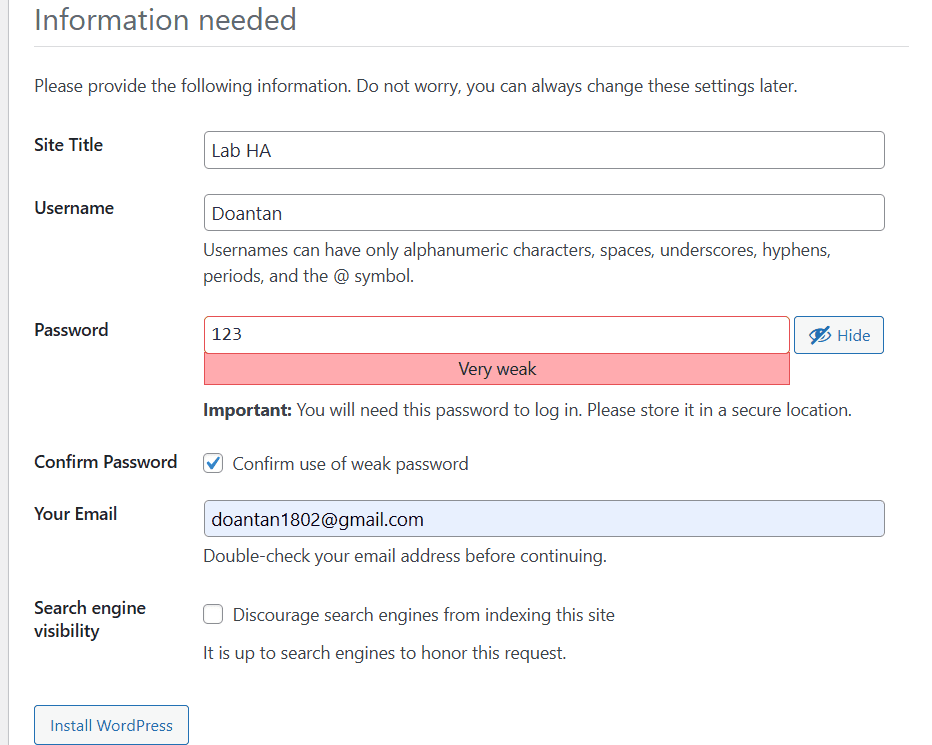
Cấu hình WordPress:
- Database: wordpress
- User: wpuser
- Password: wppassword
- DB Host: 192.168.133.135
Mô hình WordPress HA sử dụng Nginx Load Balancer kết hợp NFS giúp hệ thống mở rộng linh hoạt và tăng khả năng sẵn sàng khi vận hành nhiều Web Server. Cách triển khai này phù hợp cho môi trường lab hoặc các hệ thống WordPress yêu cầu HA ở mức cơ bản. Trong thực tế production, có thể tiếp tục nâng cấp thêm lớp lưu trữ và database HA để loại bỏ điểm nghẽn và tối ưu hiệu năng tổng thể.