VNPT Cloud GPU

VNPT MySQL

VNPT Cloud Backup
VNPT Cloud Box



Hướng dẫn cài đặt Prometheus trên Ubuntu 24.04


Prometheus là công cụ giám sát mã nguồn mở phổ biến, giúp thu thập và theo dõi các chỉ số hoạt động của hệ thống theo thời gian thực. Trong bài viết này, bạn sẽ được hướng dẫn cài đặt Prometheus trên Ubuntu 24.04 [Phần 1] từng bước, từ tạo user, cấu hình thư mục đến thiết lập Prometheus chạy dưới dạng dịch vụ systemd.
1. Yêu cầu chuẩn bị
- Hệ điều hành Ubuntu 24.04
- Tối thiểu 2G RAM và 20GB dung lượng trống
- Quyền truy cập root hoặc user có quyền sudo
2. Các bước cài đặt Prometheus
Bước 1: Cập nhật hệ thống
sudo apt updateBước 2. Tạo người dùng và nhóm Prometheus
Prometheus không nên chạy bằng tài khoản root. Việc tạo user và group riêng giúp tăng tính bảo mật, hạn chế quyền truy cập của tiến trình Prometheus.
sudo groupadd --system prometheus
sudo useradd -s /sbin/nologin --system -g prometheus prometheus
Bước 3: Tạo thư mục cho dữ liệu và cấu hình Prometheus
Prometheus sử dụng thư mục /etc/prometheus để lưu các tệp cấu hình và /var/lib/prometheus để lưu trữ cơ sở dữ liệu chuỗi thời gian (TSDB).
sudo mkdir /etc/prometheus
sudo mkdir /var/lib/prometheus
Bước 4. Tải xuống Prometheus và giải nén
Tải phiên bản mới nhất của Prometheus từ GitHub và giải nén để chuẩn bị cài đặt.
wget
https://github.com/prometheus/prometheus/releases/download/v3.13.2/prometheus-3.13.2.linux-amd64.tar.gz
tar xvf prometheus-3.13.2.linux-*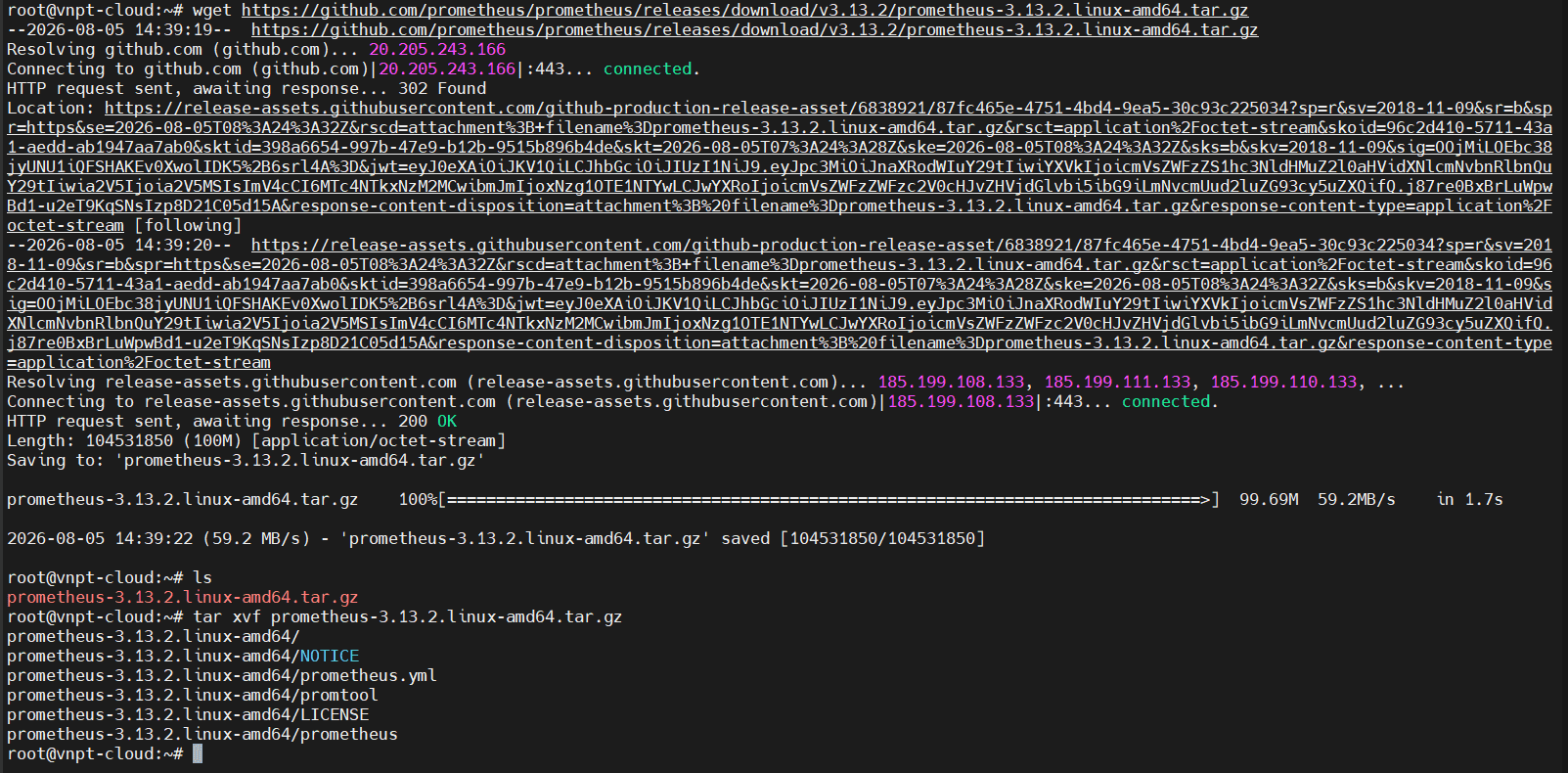
Bước 5. Cấu hình Prometheus
Di chuyển các tệp thực thi prometheus và promtool vào thư mục /usr/local/bin, đồng thời di chuyển tệp cấu hình prometheus.yml vào thư mục /etc/prometheus.
sudo mv prometheus-3.13.2.linux-amd64/prometheus /usr/local/bin
sudo mv prometheus-3.13.2.linux-amd64/promtool /usr/local/bin
sudo mv prometheus-3.13.2.linux-amd64/prometheus.yml /etc/prometheus/
Thiết lập quyền truy cập cho user và group prometheus:
sudo chown -R  prometheus:prometheus /usr/local/bin/prometheus
sudo chown -R  prometheus:prometheus /usr/local/bin/promtool
sudo chown -R prometheus:prometheus /etc/prometheus
sudo chown -R prometheus:prometheus /var/lib/prometheus
Bước 6. Tạo cấu hình systemd
Sử dụng systemd giúp Prometheus tự khởi động cùng hệ điều hành và dễ dàng quản lý thông qua systemctl.
vim /etc/systemd/system/prometheus.service[Unit]
Description=Prometheus
Wants=network-online.target
After=network-online.target
[Service]
User=prometheus
Group=prometheus
Type=simple
Restart=on-failure
RestartSec=5s
ExecStart=/usr/local/bin/prometheus \
--config.file /etc/prometheus/prometheus.yml \
--storage.tsdb.path /var/lib/prometheus/ \
--web.listen-address=0.0.0.0:9090 \
--web.enable-lifecycle \
--log.level=info
[Install]
WantedBy=multi-user.target- Lưu thay đổi và khởi động lại systemd
sudo systemctl daemon-reload- Khởi động promtheus
sudo systemctl enable prometheus
sudo systemctl start prometheus
sudo systemctl status prometheus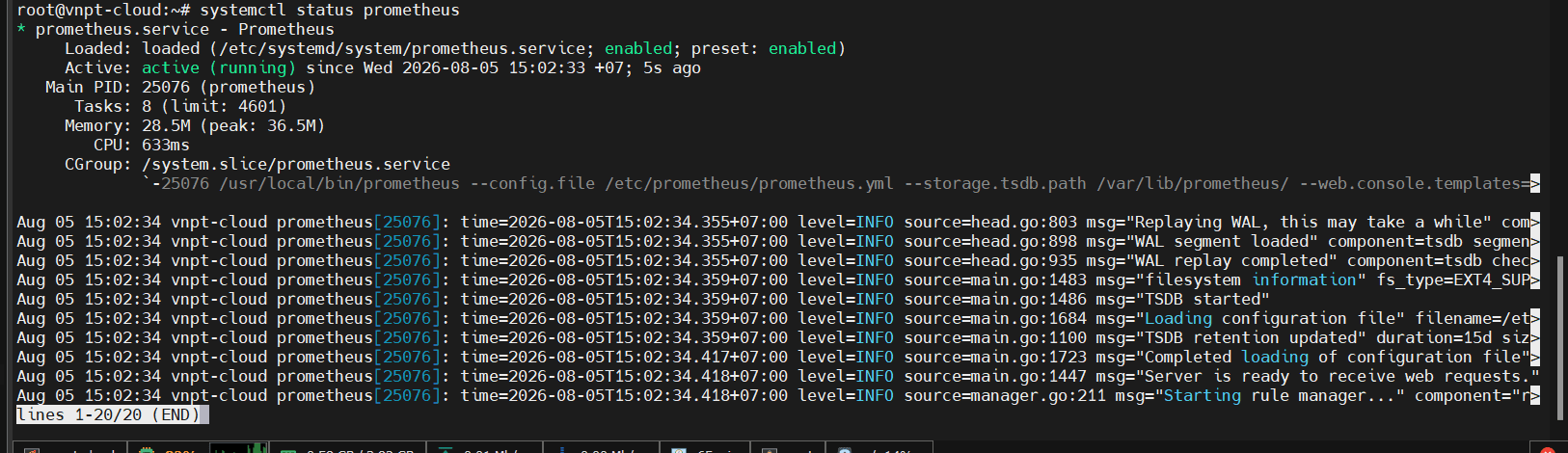
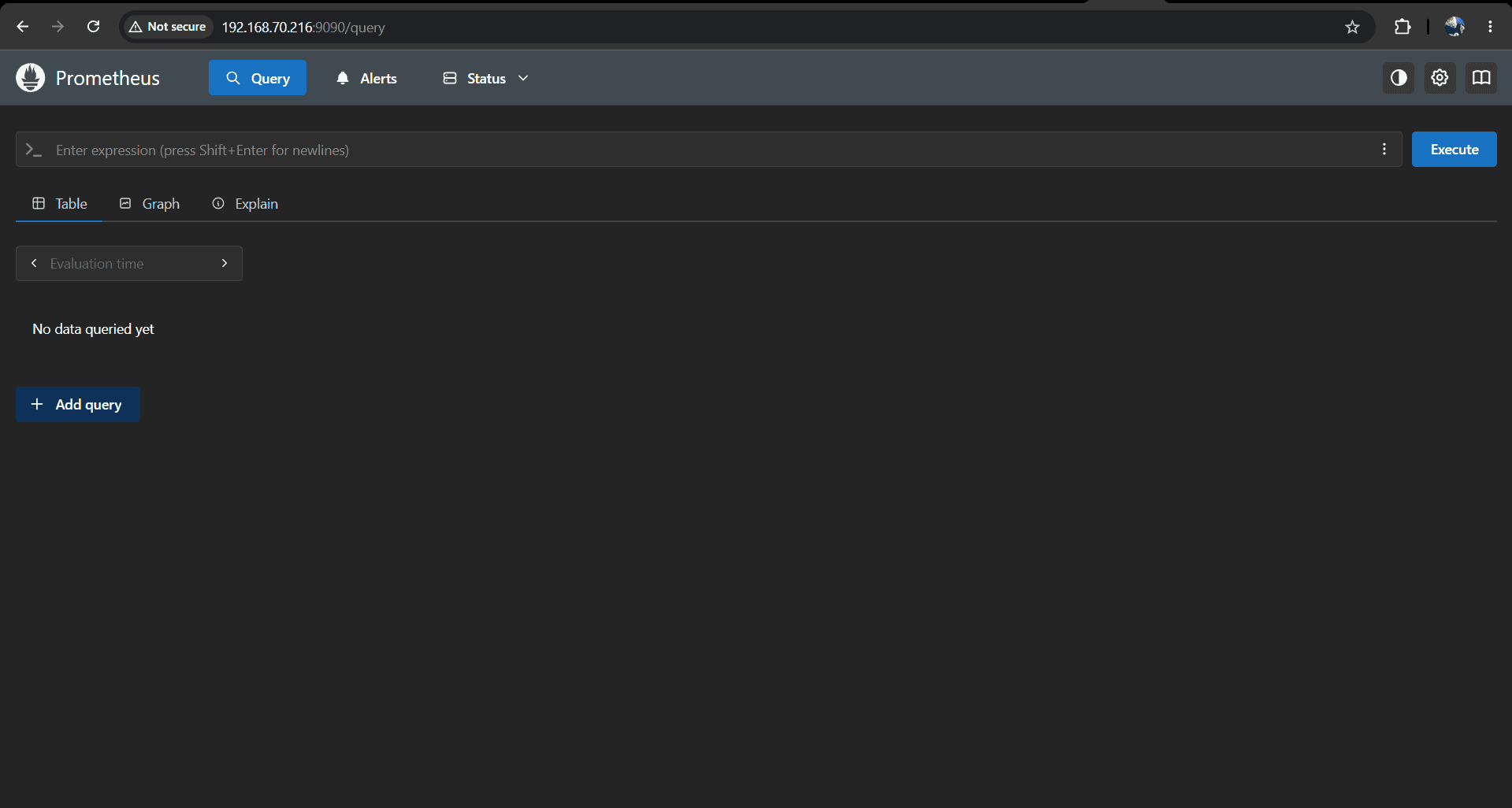
- Truy cập prometheus từ trình duyệt: truy cập url `http://server-ip:9090`
- Các metrics prometheus mặc định monitor
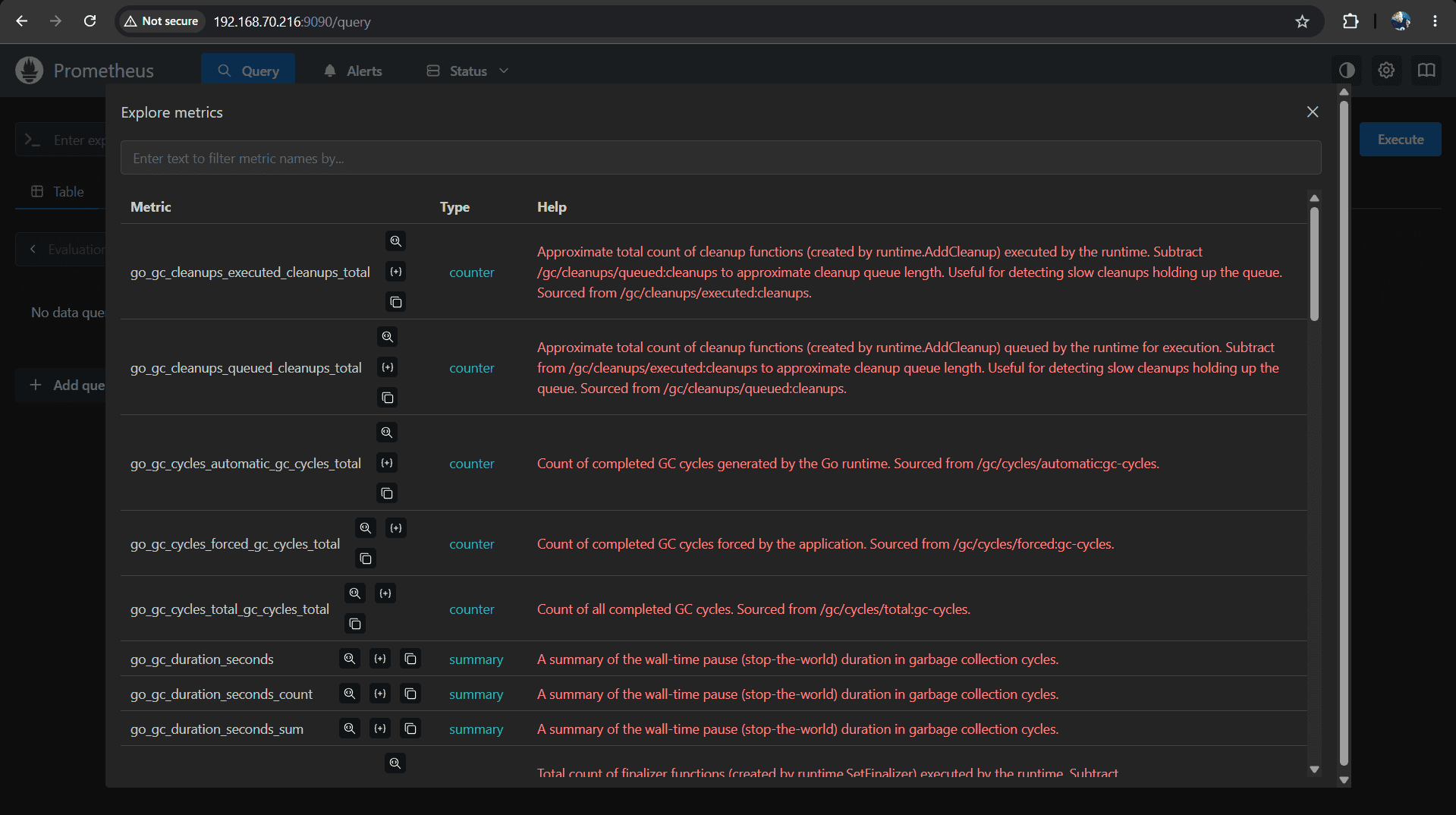
Ở bài sau mình sẽ cùng tìm hiểu về cấu hình Prometheus thu thập metrics trên Ubuntu 24.04.
Trên đây là các bước cài đặt Prometheus trên Ubuntu 24.04 và cấu hình dịch vụ để Prometheus tự động khởi động cùng hệ thống. Sau khi cài đặt thành công, bạn có thể truy cập giao diện Prometheus qua cổng 9090 và tiếp tục cấu hình thu thập metrics để giám sát máy chủ hiệu quả hơn.